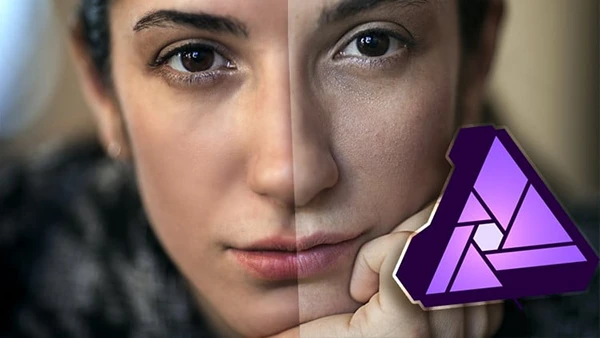
Phil Ebiner – Affinity Photo: Master Photo Editing in Affinity Photo 2 (Download)

Great photos capture moments, but professional editing transforms them into stunning visual stories. Whether you’re shooting landscapes, portraits, or creative compositions, raw images rarely match your artistic vision straight out of camera. Affinity Photo 2 offers professional-grade editing power at a fraction of traditional software costs, making it the smart choice for photographers on Mac and PC who want industry-standard results without subscription fees.
Course Overview
Affinity Photo: Master Photo Editing in Affinity Photo 2 is the most comprehensive Affinity Photo course available, featuring updated Version 2 content. Created by Phil Ebiner, Video School, and Jeremy Hazel, this course welcomes both amateur photographers exploring basic edits and experienced users seeking advanced techniques.
The course provides downloadable practice photos, pro tips and guides, plus practice activities where you can share work and receive feedback. All lessons are downloadable for learning on-the-go.
What You’ll Learn
Getting Started
- Interface navigation and workspace setup
- Layer fundamentals and live filter layers
- Destructive versus non-destructive editing
- Project configuration for optimal performance
Essential Skills (Skills Lab Part 1 & 2)
- Brush tools and techniques
- Selection methods and channel-based selections
- Brush-based and gradient-based masking
- Blend modes for creative effects
- Cropping and composition techniques
- Text tools and integration
- Basic color grading fundamentals
- Export settings for various purposes
Photo Restoration and Retouching
- Clone tool for seamless corrections
- Blemish removal techniques
- Frequency separation for professional skin retouching
- Healing tool applications
- Inpainting tool for object removal
- Patch tool for complex repairs
- Complete restoration and retouching projects
Advanced Selection Techniques
- Color channel selections
- Tonal value-based selections
- Sampled color selections
- Selection refinement and modification
You may also be interested in these courses:
- Phil Ebiner – Adobe Lightroom CC Photo Editing: Your Lightroom Masterclass (Download)
- Steve McDonald – Adobe Photoshop Complete Mastery Course Beginner to Advanced (Download)
Advanced Color Grading
- HSL (Hue, Saturation, Luminosity) adjustment layers
- Split toning for cinematic looks
- Selective color adjustments
- Gradient maps for creative color effects
- Color balance fine-tuning
- Curves for precise color control
- Hands-on color grading projects
Creative Applications
- Working with shapes and artistic elements
- Artistic and framed text techniques
- YouTube thumbnail creation
- Custom brush building and management
- Layer effects and styles
- Complete composition workflow and projects
Practical Learning Approach
Each section includes hands-on projects applying newly learned skills to real editing scenarios. You’ll work on landscape enhancements, portrait retouching, photo restoration, and creative compositions—building confidence through practice rather than passive watching.
Who Should Enroll
This course suits anyone wanting to elevate their photos, from beginners seeking an affordable yet powerful editing tool to experienced editors transitioning to Affinity Photo. Mac and PC users will find comprehensive guidance tailored to both platforms.