Simon Foster – Affinity Photo 1: Beginner to Pro via Reference and Workflow (Download)
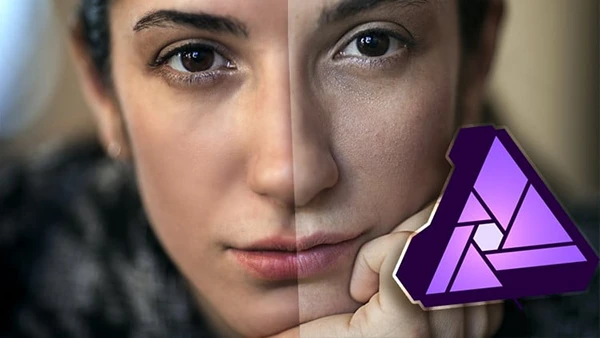
Learning photo editing tools is one thing—knowing how to actually enhance an image from start to finish is another. Many photographers struggle with this gap: they understand individual features but can’t piece them together into an effective workflow. Affinity Photo offers a powerful, affordable alternative to expensive subscription software, but mastering it requires understanding both the tools and the methodology behind professional photo development.
Course Overview
Affinity Photo 1: Beginner to Pro via Reference and Workflow takes a unique dual-approach to teaching photo editing. Instructor Simon Foster addresses a common frustration: trying to learn tools while simultaneously learning workflow creates confusion and slows progress. His solution is elegant—separate the two, then bring them together.
This course is structured in two complementary sections: comprehensive workflow tutorials that show you how to develop photos from start to finish, and an extensive reference library covering every tool in Affinity Photo. When a tool appears in a workflow lesson, you’ll find a dedicated reference video explaining exactly how it works.
Bonus: The course includes a downloadable 50+ page PDF with notes, bullet points, screenshots, and tips—saving you hours of note-taking.
What You’ll Learn
Workflow Mastery
- Five-step workflow for beginners
- Problem-solving workflow for challenging images
- “What do I like about it?” creative workflow
- Define and develop methodology
- RAW file development techniques
- Landscape and portrait-specific workflows
You may also be interested in these courses:
- Dale McManus – iPhone Photography | Take Professional Photos On Your iPhone (Download)
- Phil Ebiner – Adobe Lightroom Classic CC & CC: Photo Editing Masterclass (Download)
Technical Skills
- Interface navigation and workspace customization
- Layer management and adjustment layers
- Exposure, brightness, and contrast control
- Curves for tone and color adjustments
- White balance and color correction
- Sharpening and noise reduction
- Frequency separation for portrait retouching
- Advanced selection techniques and masking
- Cloning and blemish removal
- Dodge and burn methods
- RAW file processing
- Split toning and selective color effects
Advanced Techniques
- Haze removal and clarity enhancement
- Tone mapping for HDR effects
- Chromatic aberration correction
- Perspective correction and mesh warp
- Liquify persona for creative adjustments
- Integration with Nik Collection plugins
- Creating custom brushes and effects
The course provides all practice images, allowing you to follow along with every tutorial and build confidence through hands-on experience.
Who Should Enroll
This course suits beginners who are new to photo editing, photographers transitioning from other software, and anyone wanting to understand not just what tools do, but when and why to use them. If you’ve felt overwhelmed trying to enhance photos without a clear process, this structured approach will transform your editing confidence.
Note: This course covers Affinity Photo up to version 1.10. Users who haven’t upgraded to Affinity Photo 2 will find this most valuable.