Steve McDonald – Adobe Photoshop Complete Mastery Course Beginner to Advanced (Download)
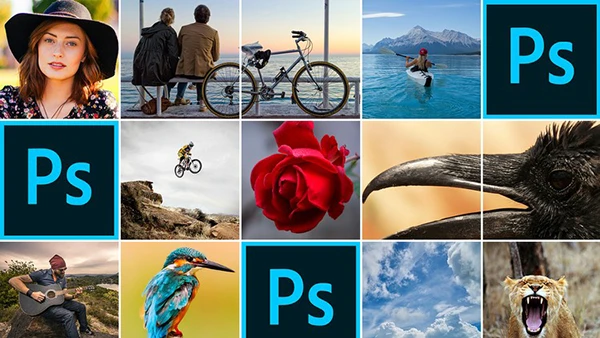
Photoshop intimidates millions of aspiring creators every year. The interface looks complex, tools seem endless, and tutorials often assume knowledge you don’t have. Yet this powerful software remains the industry standard for photo editing, graphic design, and digital artistry. Whether you’re preparing images for social media, building a creative portfolio, or launching a design career, Photoshop skills are invaluable—and more accessible than you think.
Course Overview
Adobe Photoshop Complete Mastery Course Beginner to Advanced by Steve McDonald removes the intimidation factor from learning Photoshop. Designed specifically for absolute beginners, this course builds your skills progressively through hands-on projects rather than overwhelming theory. Steve McDonald’s teaching approach emphasizes practical application at a comfortable pace, ensuring you grasp each concept before moving forward.
The course works with Photoshop CC and older CS versions on both PC and Mac, making it accessible regardless of your setup.
What You’ll Learn
Foundation Skills
Start from zero with guided setup and interface navigation. Learn to customize your workspace, master essential keyboard shortcuts, and understand where key tools live. Within the first hour, you’ll be cropping images, repairing blemishes, and manipulating photo elements confidently.
Essential Tools Mastery
Discover the five most important Photoshop tools and their practical applications. Master the brush tool for creative edits, the crop tool for social media-ready images, the healing brush for touchups, and the gradient tool for professional backgrounds. Each tool is taught through real-world assignments.
Layers and Non-Destructive Editing
Understanding layers transforms your Photoshop work from basic to professional. Learn how adjustment layers let you edit without permanently altering original images—a game-changer for maintaining quality and flexibility. Explore black and white conversions, hue/saturation adjustments, and layer panel navigation.
You may also be interested in these courses:
- Photography Masterclass: Your Complete Guide to Photography (Download)
- DaVinci Resolve 20 Mastery: Complete Video Editing Bootcamp (Download)
Selection Techniques
Master selection tools including lasso, marquee, and quick selection for isolating specific image areas. Apply these skills to practical projects like changing backgrounds, adjusting colors selectively, and whitening teeth.
Advanced Compositing with Layer Masks
Layer masks unlock Photoshop’s true potential for combining images seamlessly. Learn to show or hide image portions, blend multiple photos together, and create professional composites through guided projects.
Hands-On Projects
Practice makes perfect through real assignments: crop profile pictures for Instagram or Facebook, brighten dull photos, remove redness from skin tones, swap skies in landscape scenes, and merge images creatively. Each project reinforces multiple skills simultaneously.
Why This Course Works
Steve McDonald’s strength lies in pacing and clarity. Rather than rushing through features, the course moves deliberately, ensuring comprehension before complexity increases. The hands-on approach means you’re actively creating from lesson one, building confidence through accomplishment rather than passive watching.
Whether you’re a hobbyist wanting better social media photos, a professional adding valuable skills, or someone who previously found Photoshop too difficult, this course provides the structured, supportive path you need.