Daniel Walter Scott – User Experience Design Essentials – Adobe XD UI UX Design (Download)
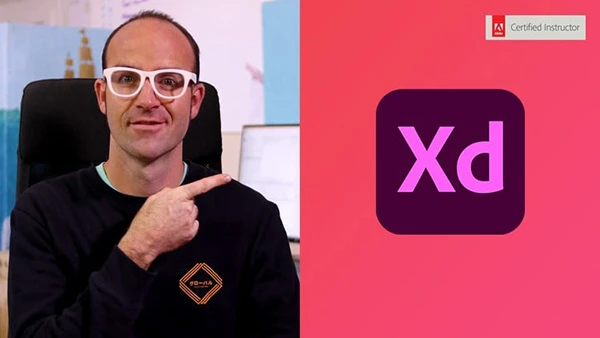
In today’s digital landscape, user experience can make or break a product. Companies desperately need skilled UX/UI designers who can create intuitive, engaging interfaces for websites and mobile apps. Yet breaking into this lucrative field feels overwhelming without the right tools and training. Adobe XD has become the industry standard for creating professional mockups and prototypes, making it an essential skill for aspiring designers and developers looking to expand their capabilities.
Course and Instructor Overview
User Experience Design Essentials is taught by Daniel Walter Scott, an Adobe Certified Instructor with extensive real-world experience. This comprehensive course takes you from complete beginner to job-ready UX designer through 93 well-structured lectures that follow an actual freelance project requiring both website and mobile app interfaces.
Daniel’s teaching approach mirrors professional workflows, showing you exactly how client briefs work, how to communicate with stakeholders, and how to build production-ready designs. You’ll receive downloadable exercise files, finished project files, and ongoing forum support from the instructor and community.
What You’ll Learn
UX Design Foundations
The course begins by clarifying the crucial difference between UI (User Interface) and UX (User Experience) design. You’ll learn to create essential UX documents including personas and task flows, develop project briefs, and understand the complete design process from concept to delivery. These foundational skills prepare you to work professionally and communicate effectively with other design professionals.
Wireframing and Low-Fidelity Design
Master low-fidelity wireframing techniques that help you rapidly test ideas before investing time in detailed design. You’ll learn proper artboard sizing for different devices, work with typography in wireframes, and understand when to use existing UI kits to accelerate your workflow. Practical exercises include creating complete wireframes for real-world projects.
Design Fundamentals in XD
Build proficiency with essential XD tools including shapes, buttons, rounded corners, color application, and strokes. You’ll discover free icon resources, learn to work with groups and layers, and develop efficient copy-paste workflows. The course covers professional shortcuts and techniques that separate amateur work from professional output.
Prototyping and Interaction
Transform static designs into interactive prototypes with clickable elements, smooth animations, and realistic easing effects. You’ll test your designs directly on iPhone and Android devices using the XD mobile app, allowing you to experience your work exactly as users will. Voice command prototyping demonstrates cutting-edge interaction patterns.
Animation and Micro-Interactions
Auto-animation features in XD enable you to create sophisticated transitions and micro-interactions that bring interfaces to life. These subtle animations improve user engagement and are rapidly becoming industry standard—skills that set you apart in the job market.
You may also be interested in these courses:
- Graphic Design Masterclass – Learn GREAT Design (Download)
- Complete Blender Creator: 3D Modelling (Compatible with 4.3) Download
High-Fidelity UI Design
Progress from wireframes to polished, production-ready designs by creating mood boards, establishing color palettes, and working with grids and columns for precise layouts. You’ll learn color theory for digital interfaces, create gradients, save reusable color swatches, and use the eyedropper for consistent design systems.
Typography Mastery
Choose appropriate fonts for web and app design, understand common font sizing conventions, and create character styles for consistency across projects. Plugins like Lorem Ipsum streamline your workflow, while research tools show you what fonts successful designers use.
Collaboration and Feedback
Professional designers must gather feedback efficiently. You’ll learn to share wireframes and designs for client commenting, export production-ready assets in correct formats, and manage revision workflows that keep projects moving forward.
Integration with Adobe Creative Suite
Maximize productivity by leveraging Photoshop and Illustrator alongside XD. Understanding how these tools complement each other accelerates your design process and expands creative possibilities.
Who Should Enroll
This course suits complete beginners with no design experience, developers wanting to add UX skills to their toolkit, and anyone looking to start a career in UI/UX design. The step-by-step approach ensures you build genuine competency while creating portfolio-worthy projects you can show potential employers or clients.
By course completion, you’ll confidently add “UX Designer” to your resume and start earning money from your new skills.