Phil Ebiner – Adobe Lightroom Classic CC & CC: Photo Editing Masterclass (Download)
Great photography doesn’t end when you press the shutter—it begins in post-processing. Raw images from even the best cameras need refinement to reach their full potential. Adobe Lightroom has become the industry standard for professional photographers because it combines powerful editing capabilities with efficient organization and workflow tools. Yet many photographers struggle to move beyond basic adjustments, leaving their images flat when they could be stunning.
The Adobe Lightroom Classic CC & CC: Photo Editing Masterclass teaches you to edit photos like a professional, transforming good captures into exceptional images.
About the Course and Instructors
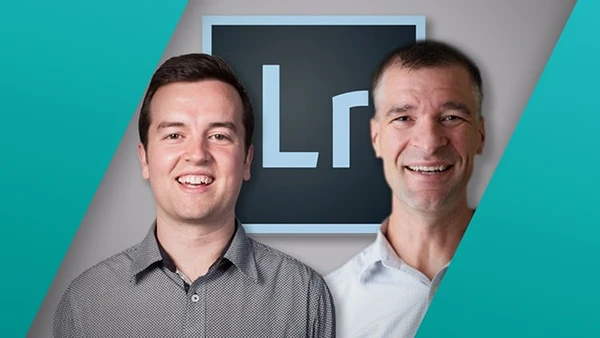
Phil Ebiner and Jon Haase, professional portrait and wedding photographers with over a decade of Lightroom experience, created this comprehensive masterclass. They run photo studios, and their work has been featured in major publications. With over 150,000 students taught, they’ve refined their teaching approach to make complex editing concepts accessible to photographers at any level.
The course covers both Lightroom Classic CC and Lightroom CC, plus mobile editing—making it the only Lightroom course you’ll need. Practice photos and MP3 audio lessons allow learning anywhere.
What You’ll Learn
This masterclass covers the complete Lightroom ecosystem, from desktop editing to mobile workflows, ensuring your photos look consistent across all devices.
Lightroom Setup and Organization
Master the Lightroom workflow professionals use daily. Learn efficient photo importing, creating collections for project organization, ranking and sorting images, face tagging for quick searches, and cloud storage for seamless access across devices. Proper organization ensures you never lose another image and can find any photo instantly.
Essential Editing Tools
Start with fundamental adjustments: cropping and rotating for better composition, tone corrections for proper exposure, white balance adjustments for accurate colors, and understanding the histogram for precise exposure readings. You’ll work with raw images to see how professional photographers recover detail and correct color issues that seem unfixable.
Progress to powerful tools like clarity, vibrance, and saturation for visual impact, tone curves for advanced tonal control, HSL panel for targeted color adjustments, split toning for creative color grading, detail panel for sharpening, and noise reduction for clean high-ISO images. Lens correction tools fix distortion and vignetting automatically.
Local Adjustments and Selective Editing
Learn to edit specific areas without affecting entire images using adjustment brushes for targeted corrections, radial filters for focusing attention, graduated filters for balancing skies and foregrounds, spot removal for distractions and blemishes, and range masks for precision selections.
Lightroom CC and Mobile Editing
Master Lightroom CC’s cloud-based workflow for editing anywhere on any device. Capture raw images on your phone and edit them seamlessly on your desktop without cables or hard drives. The mobile section covers syncing across devices, organizing photos on the go, and using mobile editing tools for professional results wherever you are.
Portrait Retouching
Develop professional portrait editing skills: whitening eyes and teeth naturally, removing red eye, softening skin while maintaining texture, eliminating blemishes and wrinkles, and fixing skin tone issues. These techniques work for wedding, portrait, and event photography.
You may also be interested in these courses:
- Photography Fundamentals for Beginners: 1-Hour Crash Course (Download)
- Adobe Premiere Pro Masterclass: Video Editing in Premiere (Download)
Lightroom Presets and Efficiency
Discover how to create custom presets for consistent editing styles, download and install professional presets, and use one-click corrections for common adjustments. Camera calibration and custom white balance techniques provide powerful advanced corrections.
Real-World Editing Sessions
Apply your skills through complete editing demonstrations: landscape photos with balanced exposure, dark images with recovered detail, flash photography corrections, portrait retouching with cinematic looks, panorama creation, and brand-matching corporate images.
Exporting and Sharing
Learn to export photos at optimal quality for different platforms, add watermarks for copyright protection, and create stunning portfolio websites to showcase your work.
Course Structure
Beginning with workspace navigation and workflow fundamentals, the course progresses through organizing and importing, basic and advanced editing tools, local adjustments, portrait retouching, Lightroom CC and mobile workflows, presets, and practical editing sessions. Knowledge checks reinforce learning throughout.
Who Should Enroll
This masterclass suits beginner photographers wanting to make photos look better, amateur editors ready to move beyond basic adjustments, wedding and portrait photographers seeking efficient workflows, landscape photographers perfecting their images, and anyone using Lightroom who wants to unlock its full potential.
Whether you’re new to photo editing or experienced but self-taught, this course provides the structured knowledge to edit confidently and efficiently.