Alan Ayoubi – Adobe Illustrator Mega Course – From Beginner to Advanced (Download)
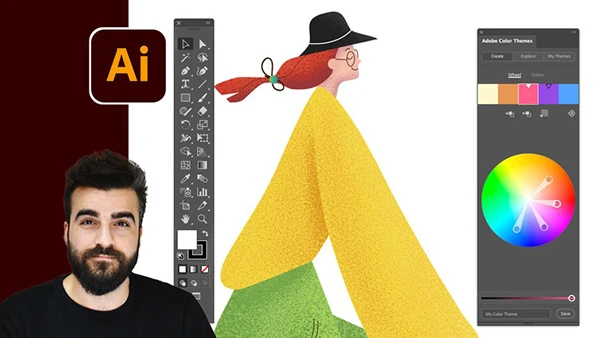
Starting a design career or expanding your creative toolkit can feel overwhelming when facing Adobe Illustrator’s extensive features. Many aspiring designers struggle to move beyond basic shapes, unsure how to create professional illustrations, typography, or commercial-ready artwork. In today’s digital economy, Illustrator proficiency opens doors to freelance opportunities, design careers, and creative entrepreneurship—making comprehensive training an investment in your professional future.
Course and Instructor Overview
The Adobe Illustrator Mega Course is taught by Alan Ayoubi, a professional designer who structures this training as a complete journey from absolute beginner to advanced practitioner. With lifetime access and a 30-day money-back guarantee, this course provides step-by-step instruction designed to build confidence and competence at every level.
What You’ll Master
Foundation Skills: Start with project creation, artboard understanding, and navigation tools. Learn to work with basic shapes, transform controls, and selection tools while organizing objects effectively. Early homework assignments—including creating a cat and bird—reinforce fundamental concepts through practical application.
Appearance and Effects: Dive deep into strokes, swatches, gradients, and the appearance panel. Understand how to apply effects professionally and complete hands-on projects like designing an owl illustration.
Advanced Drawing Techniques: Master every drawing tool including the Blob Brush, Pen Tool, Curvature Tool, and distort tools. Progress through structured homework assignments, culminating in complex projects like illustrating a girl on a bike.
Brushes and Typography: Explore all brush types—calligraphic, scatter, art, pattern, and image brushes. Learn to add texture and grain to artworks. In typography, master character formatting, font selection, the Touch Type Tool, text wrap, and create stunning 3D text effects and lookbook designs.
You may also be interested in these courses:
- Martin Perhiniak – Illustrator MasterClass (Download)
- Andrei Neagoie – Complete Web & Mobile Designer: UI/UX, Figma, +more (Download)
Professional Techniques: Learn masking types including clipping and opacity masks. Master symmetrical drawing for mandalas and precise artwork. Use the Blend Tool to create 3D abstract paths and realistic hair effects.
Data Visualization: Transform spreadsheet data into clean, modern charts. Convert boring graphs into eye-catching visual presentations using custom pie, line, and area graphs.
Specialized Skills: Create geometric grids and abstract artwork, learn isometric drawing to build 3D homes and futuristic cities, develop seamless patterns ready for print, and trace photographs to create professional illustrations.
Monetization and Animation: Discover platforms to sell your artwork and find freelance opportunities online. Learn to prepare Illustrator projects for animation in Adobe After Effects, expanding your creative services.
This comprehensive course combines detailed instruction with dozens of practical projects, ensuring you create portfolio-worthy work while mastering each technique. Whether you’re launching a design career, building a freelance business, or expanding your creative skills, this mega course provides the complete Illustrator education you need.