Martin Perhiniak – Illustrator MasterClass (Download)

Vector graphics power modern visual communication—from logos and icons to complex illustrations and brand identities. Adobe Illustrator remains the industry standard, yet its extensive toolset overwhelms beginners while self-taught users often miss critical features that separate amateur work from professional output. Whether you’re starting a creative career or refining existing skills, mastering Illustrator opens doors to lucrative opportunities in graphic design, UI/UX, product design, and beyond.
Course and Instructor Overview
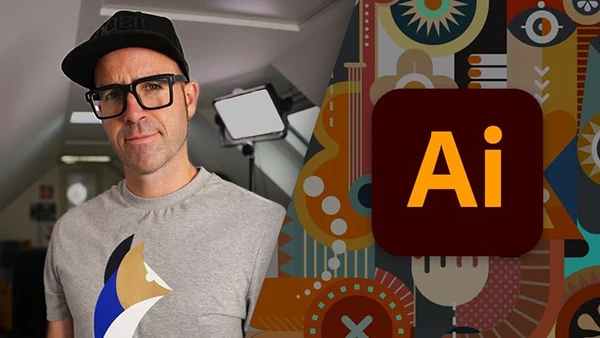
Illustrator MasterClass is taught by Martin Perhiniak, an Adobe Certified Instructor voted among the Top 10 Adobe instructors worldwide. With over a decade of professional creative industry experience working for clients like Disney, Accenture, and Mattel, Martin brings real-world expertise to every lesson.
This comprehensive program features 94+ videos totaling 12 hours of content, regularly updated with 2024’s latest features. Interactive quizzes test your knowledge after each chapter, while downloadable exercise files let you practice alongside lessons. The course prepares you for the official Adobe Certified Associate exam and provides a completion certificate.
What You’ll Learn
Illustrator Fundamentals
Begin with essential foundations including document setup, artboard management, navigation, and understanding the crucial difference between vector and pixel graphics. You’ll master the user interface, Properties panel, and customized settings that optimize your workflow. These basics establish professional habits that serve you throughout your career.
Working with Objects
Learn to create and manipulate basic shapes, apply transformations, and combine shapes using pathfinder operations. Master selection techniques for efficiency, organize complex projects with layers, and align and distribute objects precisely. Working accurately with measurements and guides ensures your designs meet professional specifications.
Appearance and Styling
Explore stroke settings for varied line styles, work with swatches and gradients for sophisticated color applications, and utilize the Appearance panel for non-destructive styling. Effects expand your creative possibilities while maintaining editable artwork. These tools give you complete control over your designs’ visual impact.
You may also be interested in these courses:
- Character Art School: The Complete Character Drawing Course (Download)
- The Ultimate Drawing Course – Beginner to Advanced (Download)
Drawing Techniques
Master fundamental drawing tools before progressing to the powerful Pen tool—essential for creating custom shapes and precise paths. The Curvature tool (introduced in CC 2018) offers an intuitive alternative for smooth curves. You’ll learn drawing assistance features, Draw Inside mode, distort and transform tools, symmetrical drawing workflows, and concentric drawing techniques. Manual tracing exercises build confidence handling complex illustrations.
Brushes Mastery
Discover the unique capabilities of five brush types: Calligraphic for variable-width strokes, Scatter for distributing objects along paths, Art for stretching artwork, Bristle for natural painting effects, and Pattern for repeating elements. Image brushes extend creative possibilities further. You’ll also create custom brushes tailored to your specific needs.
Image Tracing and Vectorization
Transform photographs and scanned drawings into scalable vector artwork using Image Trace. Learn to prepare simple and complex images for optimal tracing results, then improve and colorize traced images for professional finishes. This skill is invaluable for converting hand-drawn sketches into digital illustrations.
Typography Excellence
Master character and paragraph formatting, implement text styles for consistency, explore font selection including variable and SVG fonts (new in CC 2018), and work with Touch Type for individual character manipulation. Advanced techniques include type on paths, integrating type with shapes, warping text, creating 3D typography, converting text to outlines, placing images within text, and text wrapping around objects.
Advanced Techniques
Progress to professional-level features including clipping masks and opacity masks for creative reveals, Recolor Artwork for exploring color variations, Live Paint Bucket for intuitive coloring, Envelope Distort for organic shape manipulation, and Puppet Warp (new in CC 2018) for character animation. Symbol tools accelerate workflow for repeated elements, while graphs visualize data professionally. Master object blending, pattern creation and refinement, gradient meshes for photorealistic shading, and perspective drawing for architectural and product illustrations.
Export and Integration
Learn correct export settings for print versus web delivery, use Export for Screens for multiple device formats, and integrate Illustrator with other Adobe applications. Bridge integration, CC Libraries for asset sharing, and proper project archiving ensure professional workflow management across teams and platforms.
Professional Applications
Throughout the course, you’ll design logos and brand identities, create vector illustrations and infographics, prepare graphics for both web and print, vectorize hand drawings, work with type creatively, and build repeatable patterns for packaging and textiles.
Who Should Enroll
This course welcomes complete beginners entering the creative industry, self-taught users wanting to formalize their knowledge, existing professionals upgrading their skills with 2024 features, and designers from any discipline—graphic, product, fashion, UI/UX—needing vector graphics expertise. The estimated 25-hour completion time includes all exercises and quizzes, ensuring thorough skill development.
With lifetime access to all future updates, you’ll stay current as Adobe releases new features.