Nader Nadernejad – Adobe Audition CC: The Beginner’s Guide to Adobe Audition (Download)
Poor audio quality undermines even the best content. Whether you’re creating podcasts, producing music, or editing video soundtracks, unwanted background noise, inconsistent volume levels, and unprofessional mixing can drive listeners away. Professional-grade audio editing used to require expensive studios, but Adobe Audition puts broadcast-quality tools at your fingertips.
Course Overview
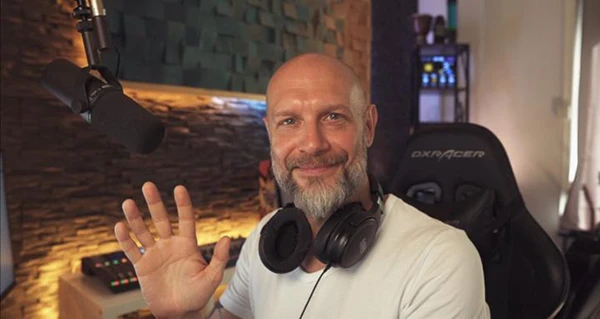
This comprehensive guide teaches you to record, edit, and mix audio using Adobe Audition CC. Led by Nader Nadernejad, a professional multimedia producer and DJ, alongside course producer Phil Ebiner, the program takes you from interface basics to advanced mixing techniques. The course includes practice audio files, allowing you to learn by doing rather than just watching.
What You’ll Learn
Interface and Project Setup
Navigate Audition’s workspace confidently, configure input and output settings, and establish efficient workflows for different audio projects. Learn to import existing files and record new audio directly within the software.
Essential Editing Techniques
Master volume adjustments, audio fading, and track splitting. Understand how to cut, copy, paste, and arrange audio clips precisely. Add background music and integrate multiple media files into cohesive projects.
Effects and Audio Enhancement
Explore Audition’s effects rack to apply professional processing. Study amplitude adjustments, compression for consistent dynamics, time stretching without pitch changes, and pitch shifting. Add creative elements like delay and echo to enhance your productions.
Noise Reduction and Vocal Improvement
Remove breaths, clicks, and pops that distract listeners. Use EQ to make vocals sound warmer and more present. Apply noise reduction to eliminate unwanted background sounds, and leverage spectral editing for surgical audio repairs.
Music Production Workflows
Set up music projects with proper BPM settings, edit singing vocals for pitch and timing, and mix vocal tracks with instrumental backing. Create seamless looping songs and produce professional DJ drops.
You may also be interested in these courses:
- Tomas George – Music Production in Logic Pro – The Complete Course! (Download)
- J. Anthony Allen – Music Theory Comprehensive Complete! (Parts 1, 2, & 3) Download
Podcast Production
Build reusable templates that streamline your podcast workflow. Apply consistent processing to ensure your audio meets modern podcast distribution standards.
Mixing and Mastering
Use the multitrack mixer to balance multiple audio elements. Master your final audio for internet distribution, ensuring optimal loudness and clarity across different playback devices.
Export and Delivery
Save projects efficiently and export high-quality audio files in formats appropriate for your specific distribution needs.
Who Should Take This Course
This course suits anyone working with audio: musicians crafting recordings, podcasters building an audience, video creators enhancing their productions, or content creators seeking professional sound quality. No prior audio editing experience is required—the curriculum builds skills progressively from foundational concepts to advanced techniques.