Mitch Lee – Ableton Push – Workflow and Production (Download)
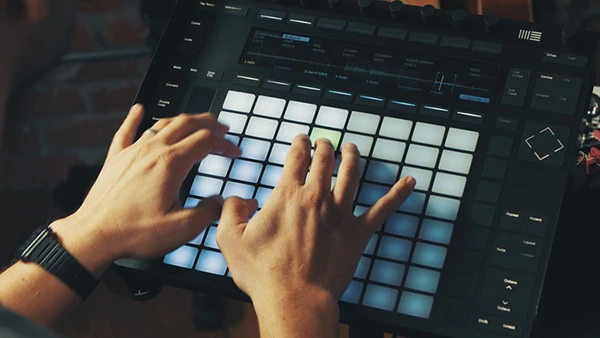
Electronic music production demands speed, creativity, and seamless workflow. The Ableton Push has revolutionized how producers create music, transforming software-based production into a tactile, hands-on experience. But without proper training, this powerful controller can feel overwhelming and underutilized.
Course Overview
This comprehensive course teaches you to unlock the full potential of Ableton Push through proven workflow techniques. Led by Mitch Lee, an Ableton Certified Trainer and award-winning producer, the program covers everything from drum programming to live performance setup. Updated for Live 10.1, the course includes over 6 hours of content with project files, drum racks, and sample packs.
What You’ll Learn
Drum Programming Mastery
Discover three distinct approaches to creating beats: finger drumming, step sequencing, and hybrid techniques. You’ll master subtractive drum programming, understand loop lengths, and dial in quantize settings for professional results.
Melodic Creation
The Push’s isometric keyboard makes melody writing intuitive. Learn chord shapes that work across any scale, explore the scale function for instant key changes, and use the melodic step sequencer to create bass lines and melodies you wouldn’t compose on a traditional keyboard.
Advanced Sampling Techniques
Leverage Live’s enhanced Simpler instrument to sample from vinyl, chop breaks, and create custom instruments from any audio source. You’ll learn warping, time-stretching, and fast sampling workflows that keep creativity flowing.
You may also be interested in these courses:
- Martin Raay – FL Studio Complete Course – Music Production for Mac & PC (Download)
- Benedict Westenra – Read Music FAST! (Download)
Recording and Audio Integration
Connect guitars, bass, hardware synths, and microphones directly through Push. Master punch-in recording with foot pedals and learn how to loop live instruments seamlessly within your productions.
Arrangement and Mixing
Transform loops into complete tracks using macro arrangement techniques. Understand Push’s mixing capabilities, including metering on Push 2, and learn to process tracks with plugins while maintaining hands-on control.
Live Performance Setup
A detailed case study reveals how to integrate Push with other hardware, build reliable performance templates, and develop your own live show workflow.
Who Should Take This Course
Whether you’re new to Push or an experienced user seeking advanced techniques, this course adapts to your level. It’s designed for Ableton Live users who want faster, more intuitive music creation without constantly reaching for the mouse.