Tomas George – Ableton Live 12 – Music Production in Ableton Live (Download)
Turning musical ideas into finished tracks shouldn’t feel like solving a puzzle. Yet many aspiring producers open Ableton Live and immediately feel lost—unsure where to click, how to record, or where to even begin. In today’s music landscape, knowing your DAW inside-out is essential whether you’re creating bedroom beats, recording original songs, or transitioning from DJ to producer.
Course Overview
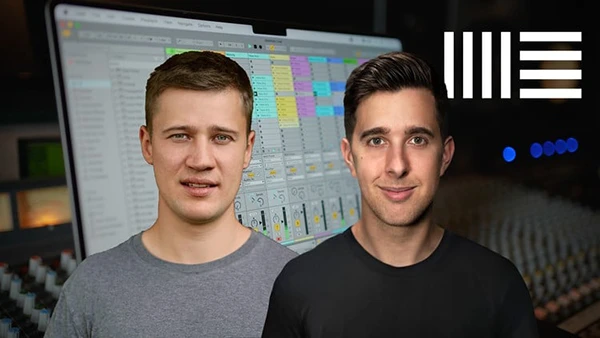
Tomas George (Udemy’s #1 Music Production instructor with over 300,000 students) and Ian Alexander (professional mixing engineer with releases on BMG) have crafted this beginner-friendly Ableton Live 12 course based on feedback from thousands of previous students. Rather than simply rehashing the manual, they guide you through building an actual song while mastering the software—making learning engaging and practical.
With over 20 hours of content across 200+ lectures, this comprehensive training progresses from absolute basics to intermediate and advanced techniques, ensuring no time is wasted on unnecessary theory.
What You’ll Learn
Core Workflow Skills
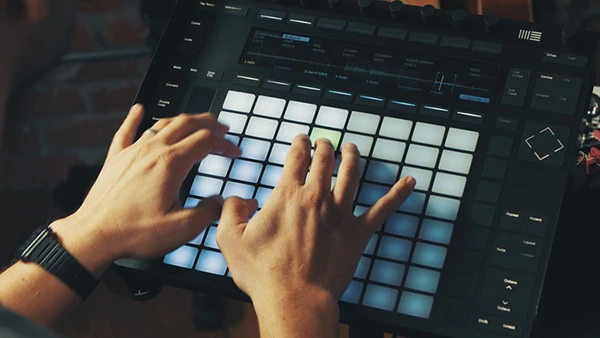
Navigate both Session View and Arrangement View confidently, understanding how each workspace serves different creative purposes. Set up your audio interface and MIDI controller correctly, then master essential shortcuts that dramatically speed up your workflow.
MIDI Production Techniques
Sequence and record MIDI clips, edit in the MIDI Note Editor with key commands, and use features like Scale Awareness, quantization, velocity editing, and the Arpeggiate function. Learn MIDI overdub recording and record quantization for polished performances.
Audio Recording and Editing
Record audio professionally, trim clips efficiently, and understand quantizing audio with warp markers. Master advanced recording techniques including punch recording, loop recording, and comping with Take Lanes.
Mixing Fundamentals
Apply proper levels and panning, work with groups, and use EQ Eight and compression effectively including sidechain techniques. Learn to balance tracks with EQ and compression while utilizing reverb sends appropriately.
New Live 12 Instruments
Explore Meld, the powerful new synth featuring oscillators, ADSR envelopes, modulation matrices, cross modulation, and advanced filter sections. Discover Roar, Live 12’s innovative audio effect with drive, routing, feedback, and sophisticated modulation options. The course also covers essential instruments like Drift, Simpler, Wavetable, Tension, and Collision.
Arrangement and Performance
Record from Session View into Arrangement View, understand how both views interact, and learn to duplicate, arrange, and perform with clips effectively. Build complete arrangements and export finished songs.
You may also be interested in these courses:
- Music + Audio Production in Logic Pro X – The Complete Guide (Download)
- J. Anthony Allen – Music Theory for Electronic Music COMPLETE: Parts 1, 2, & 3 (Download)
Course Structure
The training begins with interface basics—Session View, Arrangement View, and clip launching—before moving through setup procedures for your hardware. You’ll then dive into hands-on sections covering MIDI sequencing, audio recording, arrangement techniques, and mixing essentials.
Dedicated sections explore Meld’s synthesis capabilities across 11 detailed lessons and Roar’s distortion and modulation features across another 11 lessons, giving Suite users deep knowledge of these cutting-edge tools.
Who Should Enroll
This course serves complete beginners ready to start producing music for fun or career development, intermediate producers wanting to refine their skills and workflow efficiency, songwriters and DJs looking to record and develop their ideas, and musicians switching from other DAWs to Ableton Live.
Both instructors hold Master’s degrees in Music Production, with Tomas also holding a Bachelor’s in Music Composition. Their combined teaching experience spans tens of thousands of Ableton Live students across versions 9, 10, 11, and now 12, with multiple best-selling courses and thousands of 5-star ratings.
The instructors maintain active support, ensuring questions receive prompt responses from the teaching team. Their focus on enjoyable, comprehensive curriculum designed specifically for online learning makes complex concepts accessible without oversimplifying the material.
Start creating professional music in Ableton Live 12 with clear instruction, practical exercises, and expert guidance from industry professionals.