Louay Zambarakji – After Effects CC: The Ultimate Motion Graphics Masterclass (Download)
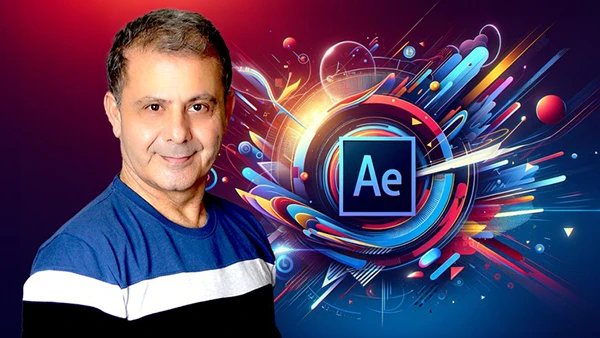
Motion graphics drive modern digital content—from social media animations to professional branding. Whether you’re a designer looking to expand your skillset or a beginner eager to break into animation, mastering Adobe After Effects opens doors to creative and freelance opportunities.
Course Overview
After Effects CC: The Ultimate Motion Graphics Masterclass is a comprehensive training program designed by Louay Zambarakji and the KaiVersity.com team (Lucas Roomé). This course transforms beginners into confident motion designers through practical, project-based learning.
With over 200 lectures covering everything from animation fundamentals to advanced styling techniques, you’ll learn the exact workflow professionals use to create eye-catching motion graphics that stand out.
What You’ll Learn
The curriculum focuses on practical skills that translate directly into real-world projects:
Core Animation Skills – Master keyframe animation, speed controls, and temporal interpolation to bring static designs to life. You’ll understand how to create smooth, professional movements rather than robotic transitions.
Motion Path Mastery – Learn to control object movement through space using speed and value graphs. This includes creating realistic bouncing effects and perfecting timing for natural-looking animations.
Shape Layer Techniques – Work with geometric shapes, Bezier paths, and compound shapes to build complex animations from simple elements. You’ll discover how to convert vector files from Illustrator seamlessly.
Professional Effects – Apply shape modifiers, morphing techniques, and fake 3D effects that give your 2D animations dimensional depth. Master styling with track mattes, blending modes, and layer effects.
You may also be interested in these courses:
- Phil Ebiner – Video Production Bootcamp: Videography, Cinematography+ (Download)
- Phil Ebiner – Photography Masterclass: Your Complete Guide to Photography (Download)
Looping & Expressions – Create perfectly looped GIFs and animations using expressions and recursion methods—essential for social media content.
Complete Projects – Apply your skills through guided projects, from animated characters to complex motion graphics compositions, learning the full workflow from import to export.
Who Should Enroll
This course suits beginners with no After Effects experience, as well as intermediate users wanting to specialize in motion graphics. If you’re a graphic designer, video editor, or content creator ready to add animation skills to your portfolio, this training provides the structured path forward.
The hands-on approach means you’ll build a portfolio of work while learning, not just watch tutorials passively.
Course Structure
Start with animation basics and interface setup, then progress through increasingly sophisticated techniques. Each section includes practice activities to reinforce concepts before moving forward. The instructor provides project files, making it easy to follow along and compare your work.
You’ll learn not just what buttons to press, but why certain techniques create better results—understanding that separates hobbyists from professionals.
Motion graphics skills remain in high demand across industries. This course gives you the foundation to confidently add “Motion Graphics Designer” to your professional profile.