Phil Ebiner – Adobe Illustrator CC – Essentials Training Course (Download)
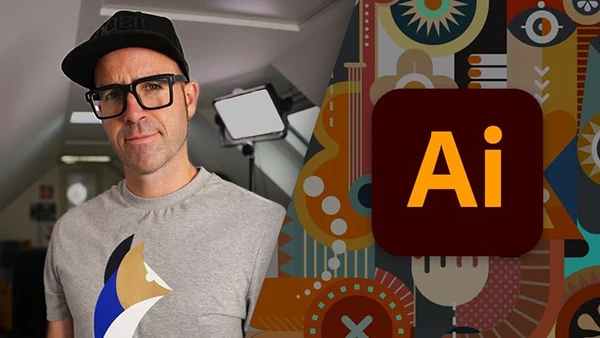
Whether you’re looking to enhance your creative toolkit or start a career in graphic design, Adobe Illustrator remains the industry-standard software for creating stunning vector graphics, logos, and illustrations. Yet many aspiring designers struggle to learn Illustrator on their own, overwhelmed by its extensive features and complex interface.
Course Overview
The Adobe Illustrator CC – Essentials Training Course provides a comprehensive, beginner-friendly pathway to mastering Illustrator. Created by Video School, Phil Ebiner, and Daniel Walter Scott—an Adobe Certified Professional and Adobe MAX Master Award winner—this course transforms complete beginners into confident designers through hands-on practice and real-world projects.
With over 30 portfolio-ready projects, you’ll gain practical experience creating logos, icons, illustrations, and typography while learning professional workflows used by industry designers.
What You’ll Learn
Drawing Fundamentals: Start with basic shapes and lines, then progress to advanced techniques using the Shape Builder, Pen Tool, and Curvature Tool to create any design you imagine.
Typography Mastery: Learn to work with fonts, create custom text effects, curve text around paths, and design compelling logo types that stand out.
Color & Gradients: Discover how to select harmonious color combinations, create gradients, and use Adobe Color to make your designs visually striking.
You may also be interested in these courses:
- Jaysen Batchelor – The Ultimate Drawing Course – Beginner to Advanced (Download)
- Daniel Walter Scott – User Experience Design Essentials – Adobe XD UI UX Design (Download)
Professional Techniques: Master image masking, vectorization, pattern creation, and effects like warping, liquefying, and paper-cut styles. Export your work professionally for print, web, and social media.
AI-Powered Design: Explore Illustrator’s latest Generative AI features to push creative boundaries and generate unique illustrations.
Real Projects: Build logos, postcards, business cards, icons, character illustrations, and repeating patterns—everything you need for a professional portfolio.
Course Structure
The training includes dedicated sections on drawing, the Pen and Curvature tools, brushes and strokes, typography, color theory, image masking, artboards, and effects. Each section combines clear instruction with hands-on class projects, ensuring you immediately apply what you learn. Downloadable exercise files and a printable cheat sheet support your learning journey.
Who Should Enroll
This course suits complete beginners with no prior design experience, creative professionals expanding their skillset, and anyone wanting to earn income from graphic design. If you can send emails and browse the internet, you have the computer skills needed to succeed.