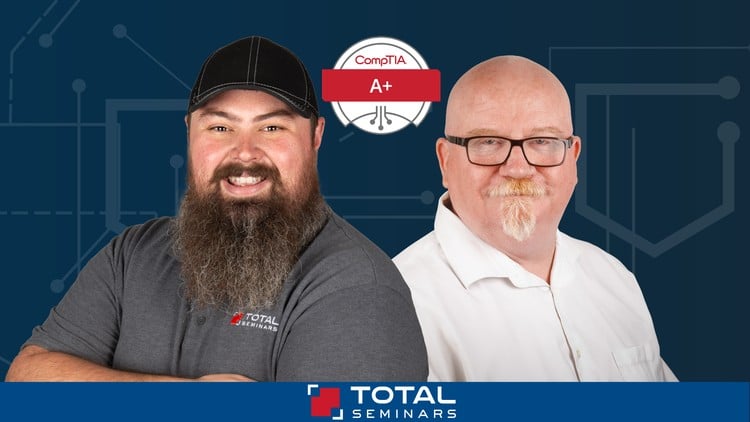
Mike Meyers – TOTAL: CompTIA A+ Core 1 (220-1201) Course + Practice Exam (Download)
Technology drives the modern economy, with IT jobs representing the fastest-growing career sector. Whether you’re launching an IT career, transitioning from another field, or advancing your technical skills, the CompTIA A+ certification is the industry-recognized starting point that employers trust. With 96% of HR managers using IT certifications as hiring criteria, A+ credential holders earn significantly more—from $47,500 entry-level to over $105,000 with additional certifications—making this investment essential for career growth.
Course Overview
TOTAL: CompTIA A+ Core 1 (220-1201) Course + Practice Exam is taught by Mike Meyers, bestselling author and instructor who has helped over 2 million students pass CompTIA certification exams. Known for his engaging, humorous teaching style that makes complex topics accessible, Mike brings decades of real-world IT experience including training for the DEA and FBI.
This comprehensive course covers everything needed to pass the A+ Core 1 exam, combining video lectures, hands-on demonstrations with actual hardware, chapter quizzes, and a full practice exam. You’ll gain practical IT skills applicable beyond certification—from building gaming systems to troubleshooting home networks.
What You’ll Master
Hardware Fundamentals
Understand core PC components including CPUs, RAM, motherboards, power supplies, and mass storage devices. Learn to select compatible components, install hardware correctly, and troubleshoot common failures. Explore the differences between magnetic hard drives and solid-state drives, RAID configurations, and storage encryption.
System Architecture
Master BIOS and UEFI firmware, POST processes, and system setup. Understand motherboard form factors, chipsets, and how to choose the right motherboard for different use cases. Learn CPU architecture, generations, cooling solutions, and the critical differences between 32-bit and 64-bit computing.
Mobile Device Technology
Configure and troubleshoot tablets and smartphones. Set up mobile device synchronization, networking, and security features. Understand mobile hardware components and common repair procedures.
Networking Essentials
Build and configure basic SOHO (Small Office/Home Office) networks using routers, switches, and firewalls. Understand networking concepts including IPv4, IPv6, DNS, DHCP, and VPNs. Configure various internet connection types from cable to fiber and troubleshoot wired and wireless network issues.
Cables & Connectivity
Identify and work with essential cables and connectors including USB (all generations), Ethernet, HDMI, DisplayPort, Lightning, and Thunderbolt. Understand when to use each type and how to troubleshoot connectivity problems.
Virtualization & Cloud Computing
Grasp cloud computing models including IaaS, SaaS, and PaaS. Understand elasticity, cloud storage, and client-side virtualization concepts. Learn to work with virtual machines and hypervisors.
You may also be interested in these courses:
- Ultimate AWS Certified Developer Associate 2026 DVA-C02 (Download)
- Certified Kubernetes Administrator (CKA) with Practice Tests (Download)
Troubleshooting Methodologies
Apply systematic troubleshooting approaches to resolve hardware and network issues. Diagnose problems with RAM, CPUs, power supplies, displays, printers, and storage devices using industry-standard best practices.
Professional Skills
Use proper tools and safety procedures. Apply professional troubleshooting theory to real-world scenarios. Develop the problem-solving mindset essential for IT support roles.
Exam Coverage
The course aligns perfectly with CompTIA’s exam domains: Mobile Devices (13%), Networking (23%), Hardware (25%), Virtualization and Cloud Computing (11%), and Hardware and Network Troubleshooting (28%). The 90-minute exam contains up to 90 questions in multiple-choice and performance-based formats, requiring a score of 675 to pass.
Learning Experience
Mike’s approachable style keeps you engaged through demonstrations with real components rather than boring slides. End-of-chapter quizzes reinforce learning, while the Q&A section provides direct access to Mike and his teaching assistants. The course includes downloadable PDFs of exam objectives and episode coverage guides for structured study.
Who Should Enroll
This course suits anyone seeking CompTIA A+ certification, aspiring IT support specialists, help desk technicians, field service technicians, desktop support analysts, or anyone wanting to understand computer technology fundamentals.
![[NEW] Ultimate AWS Certified Cloud Practitioner CLF-C02 2026 (Download)](https://dancourses.com/wp-content/uploads/2026/01/NEW-Ultimate-AWS-Certified-Cloud-Practitioner-CLF-C02-2026.jpg "Stephane Maarek - [NEW] Ultimate AWS Certified Cloud Practitioner CLF-C02 2026 (Download) 6")