Maximilian Schwarzmüller – Flutter & Dart – The Complete Guide (Download)
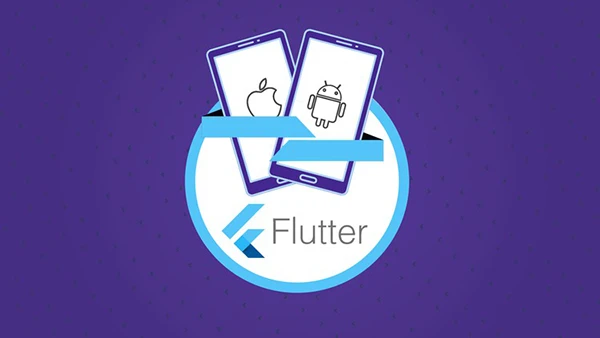
Creating separate codebases for iOS and Android is inefficient and costly. Maintaining two teams, two languages, and duplicate features slows development and introduces inconsistencies. Flutter solves this by enabling developers to write once and deploy everywhere—delivering truly native apps for both platforms from a single codebase.
About This Course
Maximilian Schwarzmüller, a bestselling Udemy instructor known for clear, practice-focused teaching, guides you through Flutter and Dart from absolute basics to advanced implementations. With over 30 hours of content and multiple real-world projects, this course transforms beginners into capable mobile developers while giving experienced programmers new cross-platform skills.
What You’ll Master
Flutter and Dart Fundamentals
Start with zero assumptions. Learn Dart programming from scratch, understand widgets as Flutter’s building blocks, work with state management, and grasp Material Design principles. Build your first apps while mastering core concepts like functions, classes, lists, and object-oriented programming.
Interactive App Development
Create engaging user experiences with stateful widgets, custom styling, and responsive layouts. Handle user input through forms and validation, implement navigation patterns including tabs and drawers, add animations and transitions, and build adaptive interfaces that work across screen sizes and orientations.
Real-World App Projects
Build practical applications throughout the course: a dice game for learning basics, a quiz app exploring state management, an expense tracker with charts and themes, a meals app with filtering and favorites, a shopping list with form handling, a favorite places app using device features, and a complete chat application with Firebase integration.
Backend Integration
Connect apps to real servers using HTTP requests. Work with Firebase for authentication, cloud storage, and real-time databases. Upload images, manage user data, and implement secure login systems that protect user information.
Native Device Features
Access device hardware and services. Use the camera for photo capture, implement location services with Google Maps integration, store data locally with SQL databases, and manage on-device files for offline functionality.
You may also be interested in these courses:
- John Honai – DevOps, CI/CD(Continuous Integration/Delivery) for Beginners (Download)
- Mosh Hamedani – C# Intermediate: Classes, Interfaces and OOP (Download)
Push Notifications
Keep users engaged with timely updates. Set up Firebase Cloud Messaging, request permissions properly, send manual and automated notifications, and work with notification topics for targeted messaging.
State Management with Riverpod
Manage app-wide state efficiently using modern Flutter patterns. Share data between screens, handle complex state scenarios, and build maintainable applications that scale.
Who Should Enroll
Perfect for complete beginners wanting to enter mobile development, web developers expanding to mobile, and iOS or Android developers seeking cross-platform efficiency. No prior programming experience required—just bring curiosity and commitment to learning.
Flutter’s demand continues rising as companies prioritize efficient cross-platform development. Learn the framework Google uses internally and join developers building the next generation of mobile applications.