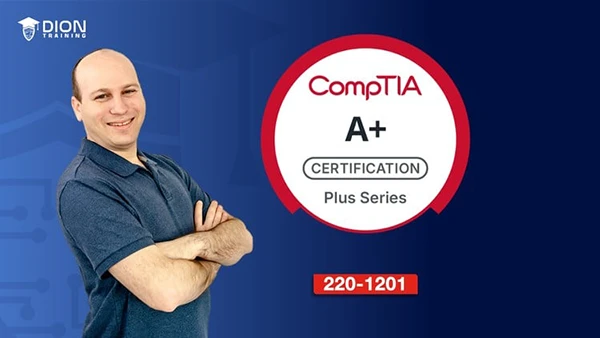
Jason Dion – CompTIA A+ Core 1 (220-1201) Full Course & Practice Exam (Download)
Landing your first IT job or advancing beyond basic help desk work requires more than just enthusiasm—employers demand verified technical competence. The CompTIA A+ certification remains the industry-standard credential that proves you can install, configure, and troubleshoot the technology that keeps businesses running. Yet many aspiring IT professionals struggle with scattered study materials, unclear exam objectives, or training that emphasizes memorization over practical understanding.
This comprehensive course builds genuine technical capability while preparing you thoroughly for certification success.
About the Course and Instructor
Jason Dion, with over 2.8 million enrollments worldwide, brings extensive experience from training IT professionals globally. As an authorized training organization for multiple industry certifications, Dion Training Solutions delivers structured, exam-focused instruction that translates directly to real-world IT environments.
The course aligns precisely with CompTIA A+ Core 1 (220-1201) exam objectives and includes downloadable study guides, checkpoint quizzes throughout each section, and a full 90-question practice exam simulating actual testing conditions.
Comprehensive Course Content
Mobile Devices and Hardware Configuration
Master laptop and mobile device installation, configuration, and maintenance. Learn to disassemble laptops safely, replace batteries and keyboards, upgrade memory, add expansion cards, and troubleshoot common hardware issues. Understand mobile device components, accessories, wireless connectivity, and synchronization methods.
Computer Hardware and System Building
Explore motherboards, form factors, CPU sockets and architecture, expansion cards, and cooling systems. Gain hands-on experience installing motherboards, CPUs, active cooling solutions, and power supplies. Master system memory concepts including addressing, module types, multi-channel configurations, and ECC memory. Configure BIOS/UEFI settings, security features, boot options, and TPM.
Storage Solutions
Learn hard disk drives, solid-state drives, RAID configurations, removable storage, and optical drives. Practice installing storage devices and configuring RAID arrays for data protection and performance.
Networking Fundamentals
Build strong networking knowledge covering hardware, cable types (twisted pair, optical, coaxial), network types, and Internet of Things devices. Master T568A/B standards, build and test cables, configure wireless networks with proper security, and understand wireless frequencies and standards.
Internet Connectivity and Network Configuration
Explore connection types from dial-up through fiber and cellular. Configure DHCP, DNS, VLANs, and VPNs. Learn IPv4 and IPv6 addressing, ports and protocols, TCP/UDP communication, and SOHO network setup.
Virtualization and Cloud Computing
Understand virtualization concepts, containerization, virtual machine purposes and resource requirements. Explore cloud deployment models (public, private, hybrid), service models (IaaS, PaaS, SaaS), virtual desktop infrastructure, and cloud storage services.
You may also be interested in these courses:
- Scott Duffy – AZ-900: Microsoft Azure Fundamentals Original Practice Tests (Download)
- Patrick Videos – Azure DevOps Boards for Project Managers/Analysts/Developers (Download)
Network Servers and Services
Study file and print servers, web servers, email servers, AAA servers, database servers, NTP, syslog, proxy servers, load balancers, unified threat management, and ICS/SCADA systems.
Printers and Multifunction Devices
Configure, secure, and troubleshoot laser, inkjet, thermal, impact, and 3D printers. Learn maintenance procedures, driver installation, printer sharing, and scanning services.
Systematic Troubleshooting
Master CompTIA’s troubleshooting methodology: identify problems, establish theories, test theories, create action plans, verify functionality, and document solutions. Apply this framework to hardware issues, storage devices, video problems, network connectivity, mobile devices, and print devices.
Practical Learning Approach
Each section includes checkpoint quizzes reinforcing key concepts. The course emphasizes hands-on skills through demonstrations of cable building, system assembly, BIOS configuration, network setup, and real-world troubleshooting scenarios. You’ll develop both theoretical knowledge and practical competence employers value.
Whether you’re starting your IT career, transitioning from another field, or validating existing skills with certification, this course provides the comprehensive foundation needed for success in help desk, desktop support, IT support specialist, and network technician roles.