Chris Parker – Adobe Photoshop CC Essentials | Photoshop Retouching (Download)
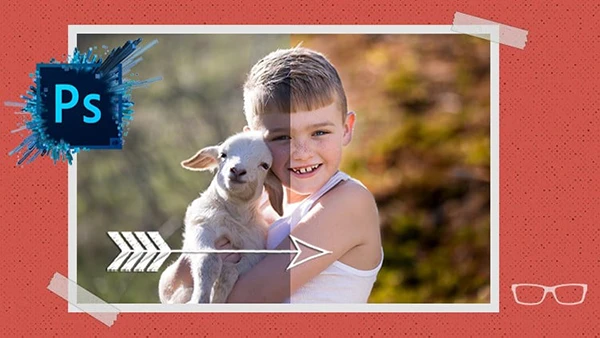
In today’s visual-driven world, raw photography skills alone aren’t enough. Whether you’re a photographer building a portfolio, a designer creating client work, or a creative entrepreneur needing polished visuals for your brand, mastering Photoshop separates amateurs from professionals. Yet many creatives struggle with Photoshop’s overwhelming interface, abandoning powerful tools that could transform their work. The gap between capturing images and creating stunning, client-ready edits stops countless talented individuals from monetizing their skills or elevating their creative output.
Course Overview
Adobe Photoshop CC Essentials by Chris Parker delivers comprehensive training condensed into one masterclass—effectively 7 courses in 1. With over 37 hours of HD tutorials, Chris brings 30+ years of professional experience as both photographer and graphic designer since 1991. His teaching approach emphasizes clarity and practical application, earning consistent praise from students who appreciate his slow, neutral-accent delivery and genuine care for learner success. This course requires zero prior Photoshop knowledge and includes all practice files plus the exclusive Photoshop Essentials Guide for offline reference.
Comprehensive Curriculum
Foundation & Quick Wins
Master Photoshop fundamentals including interface setup, file management, and immediate results—making photos “pop,” professional retouching techniques, and social media optimization. Learn essential layer concepts across 12 different layer types and understand adjustment layers for non-destructive editing workflows.
Professional Editing Mastery
- Adobe Camera Raw: Complete RAW and JPG editing including white balance, tone curves, HSL adjustments, lens corrections, HDR merging, and panoramic stitching
- Color Management: Understanding color theory, calibration, profiles, and color spaces for consistent output
- Retouching Arsenal: Clone and healing tools, spot removal, dodge and burn techniques, content-aware fill, and advanced selection methods
- Creative Tools: Blending modes, filters, brushes, custom actions, graduated filters, and radial adjustments
You may also be interested in these courses:
- Phil Ebiner – Photography Fundamentals for Beginners: 1-Hour Crash Course (Download)
- Louay Zambarakji – DaVinci Resolve 20 Mastery: Complete Video Editing Bootcamp (Download)
Advanced Techniques & Specializations
Progress through specialized projects including:
- Black and white conversion techniques
- Curves and Levels mastery for precise corrections
- Typography and text effects for graphic design
- Vector shape creation and logo design
- Cinematic color grading workflows
- Fall color transformations for landscapes
- Creative effects (zombie portraits, light enhancements, motion blur, sky replacements)
- Professional workflows for portraits and landscapes
Productivity & Organization
Learn Adobe Bridge for asset management, create custom Photoshop actions for workflow automation, optimize preferences for peak performance, and implement professional time-saving techniques—potentially saving 1 hour for every 8 worked.
Who Should Enroll
This masterclass suits complete beginners, hobbyist photographers wanting professional results, graphic designers expanding their skillset, and anyone seeking freelance opportunities in photo editing, retouching, or design. Whether processing personal images or building a paid client base, you’ll gain comprehensive Photoshop proficiency from fundamentals through advanced creative projects.